







Installation Guide – Android
The Engage application is a web-based application. Unlike some apps on your phone, it can be installed without using the Apple App Store or Google Play Store. It’s as simple as visiting a website and using your browser’s built-in functionality.
Below are instructions for our support mobile platform, Google’s Android.
Instructions for Android OS
Step 1: Visit the main application website in Chrome
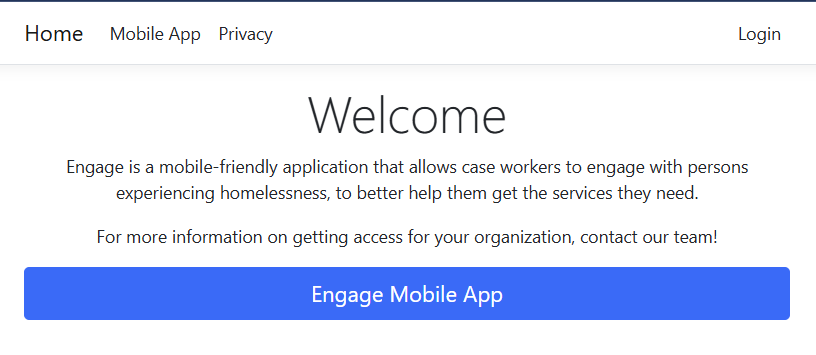
Visit https://app.useengage.net/ from your mobile device’s web browser, Google Chrome.

Step 2: Click “Engage Mobile App” button
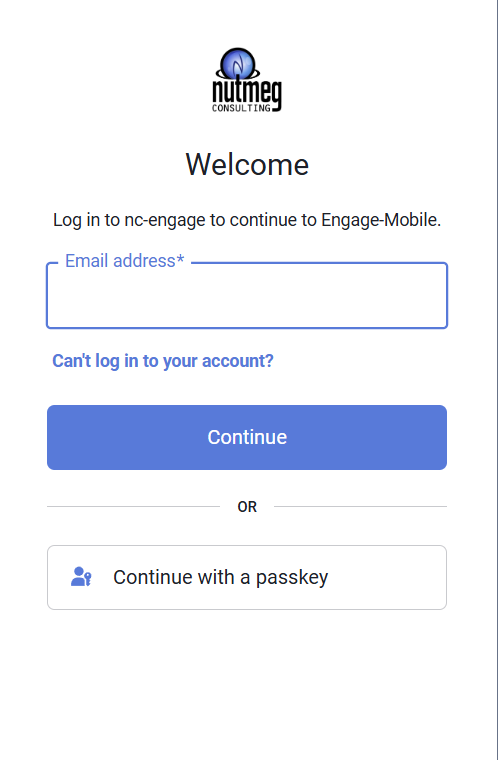
Step 3: Login to the App
Step 4: From the Browser’s chrome, click the 3 dots
{“id”:6528,”width”:”311px”,”height”:”auto”,”aspectRatio”:”0.44919786096256686″,”sizeSlug”:”large”,”linkDestination”:”none”} –>
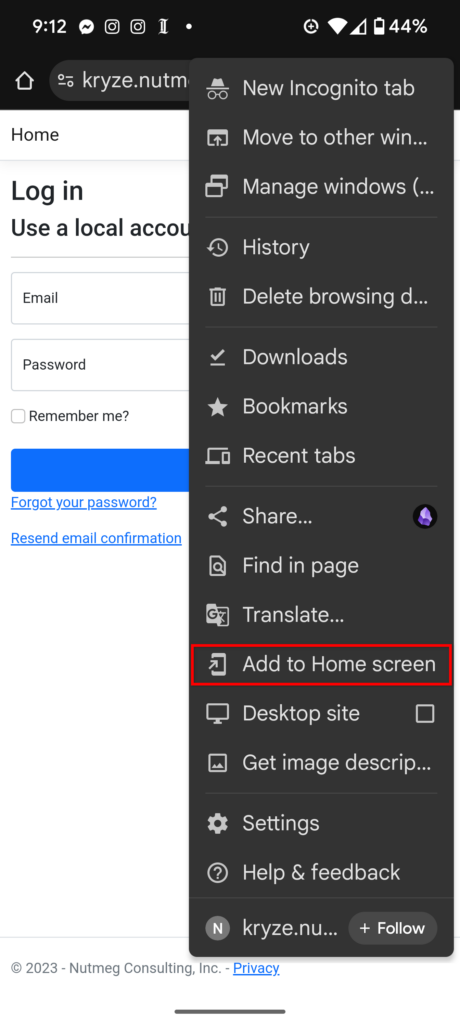
Step 5: Choose “Add to Home Screen” from the menu that appears
Step 6: The Engage App will now appear on your phone’s home screen.